Business lookup on bolta.io
Check a business before you trade with it
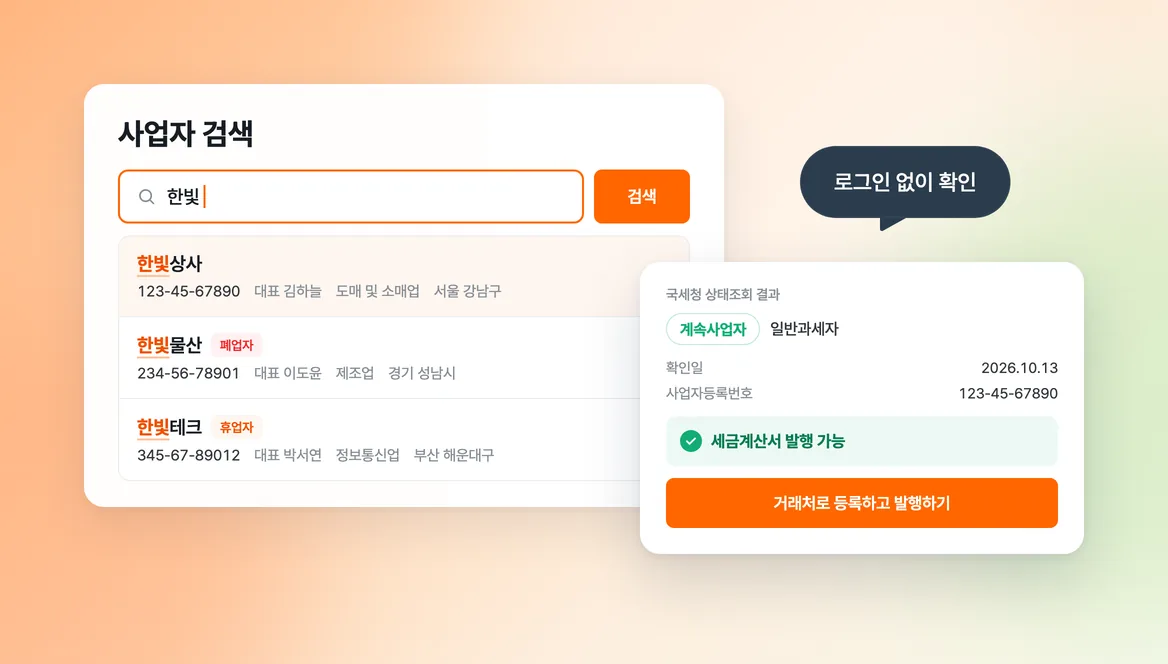
Checking whether a new counterparty is still in business used to mean visiting several sites.
Business lookup on bolta.io now answers that without a login. Enter a business name or a business registration number, and the basic details and the NTS status appear on one page. Once you have checked a business, register it as a customer and issue the tax invoice.
The data comes from public sources, so some fields are wrong or empty. If your own business is listed incorrectly, request a correction. If you would rather not have it listed, request removal. A removal request applies to the bolta.io page.
How to use it:
- Search by business name or business registration number at bolta.io/biz (Korean).
- Read the NTS status result on the business page.
- At the bottom of your own business page, send a correction request or a removal request.
Next, we plan to fill in the details from a business registration number alone when you register a customer in Bolta.