Improvement
Correction history for tax invoices
Every correction, in one thread
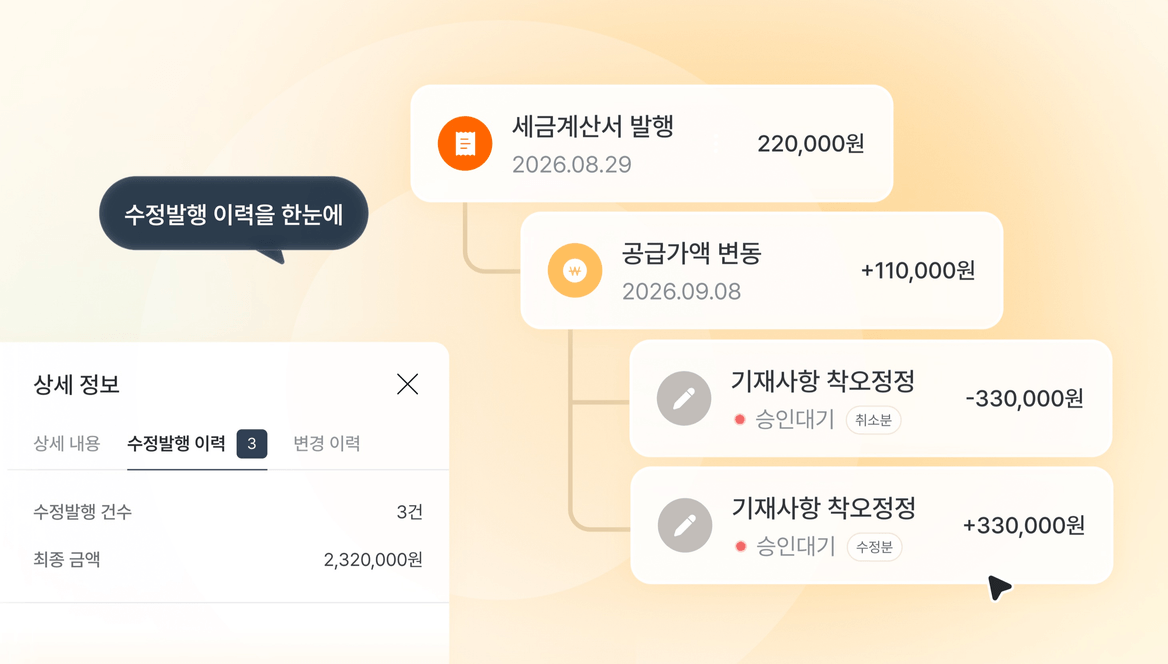
When a tax invoice is corrected more than once, tracing the original against each correction takes real effort.
The detail screen now has a correction history tab that links the original with every cancellation and correction. Press any card to open that document. The number of corrections and the final amount sit at the top, so you do not have to add it up yourself.
How to use it:
- In the issuance or sales list, open an invoice marked as corrected.
- Select the correction history tab on the detail screen.
- Read the whole history, and press a card to see that document in full.
- For the amount after corrections, read the correction count and final amount together.