New
Bolta Portal
Approve the reverse issuance requests you receive in one place
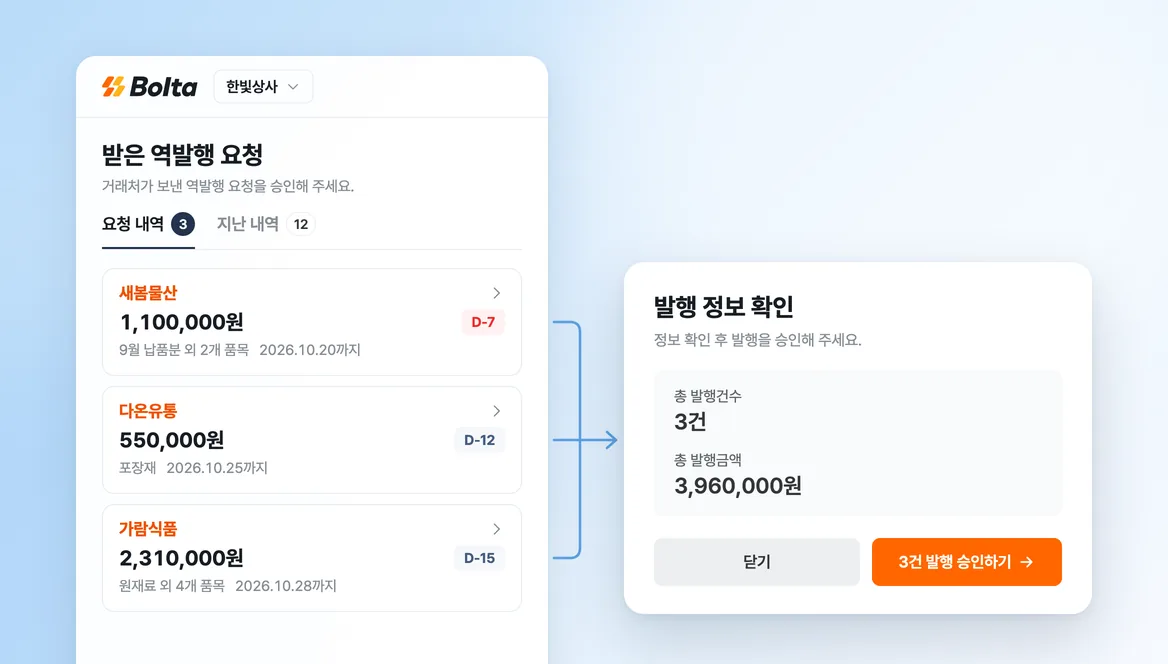
A supplier who received reverse issuance requests had to open a separate email link for each one. When requests piled up, they were handled one at a time.
The link in the approval email now opens Bolta Portal. Every request the supplier received sits on one screen, and they can approve several at once. The supplier does not need a Bolta account.
How to use it:
- Open Bolta Portal from the link in the approval email.
- If the link has expired, request a verification email and enter the code it contains.
- Review the pending requests, then approve one or approve them all.
- When asked for an approval method, choose a financial certificate or a certificate file stored on your device.
- Find the requests you have handled under past requests.
We will keep refining the screens used by the people who receive tax invoices.