October 2026 update
From checking a counterparty before issuance to confirming the payment after
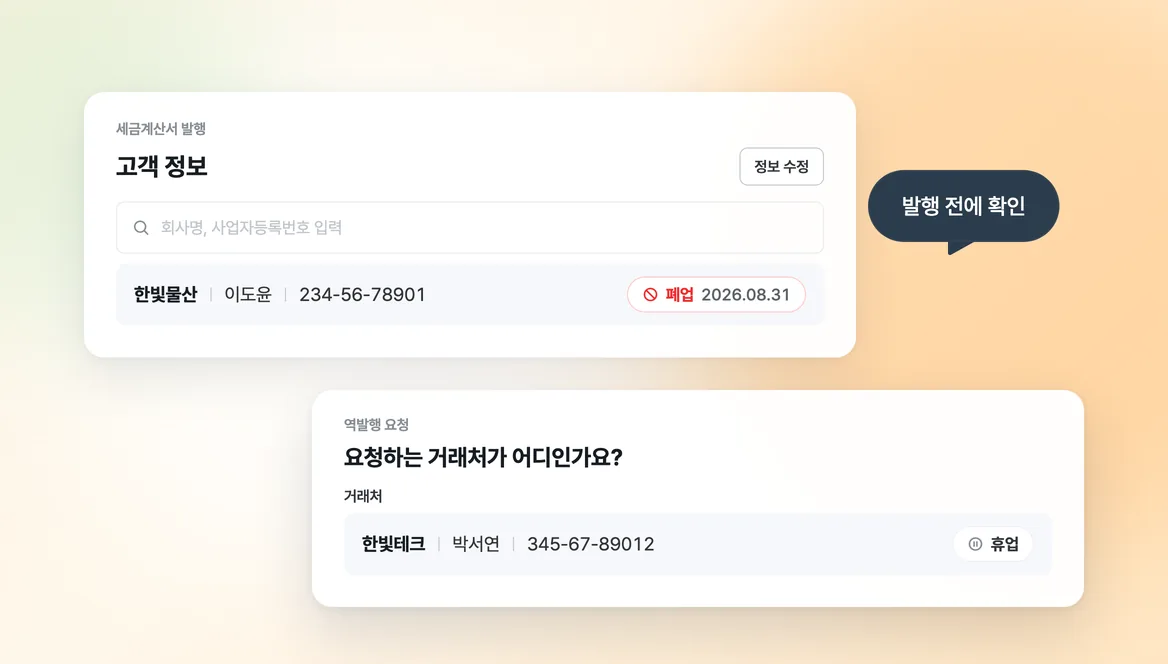
1. Suspended and closed status for counterparties
Sending a tax invoice to a closed business means taking it back afterward.
When you issue a tax invoice or send a reverse issuance request, selecting a counterparty now shows whether the business is suspended or closed. The customer list also marks closed businesses. Check once more before you issue.
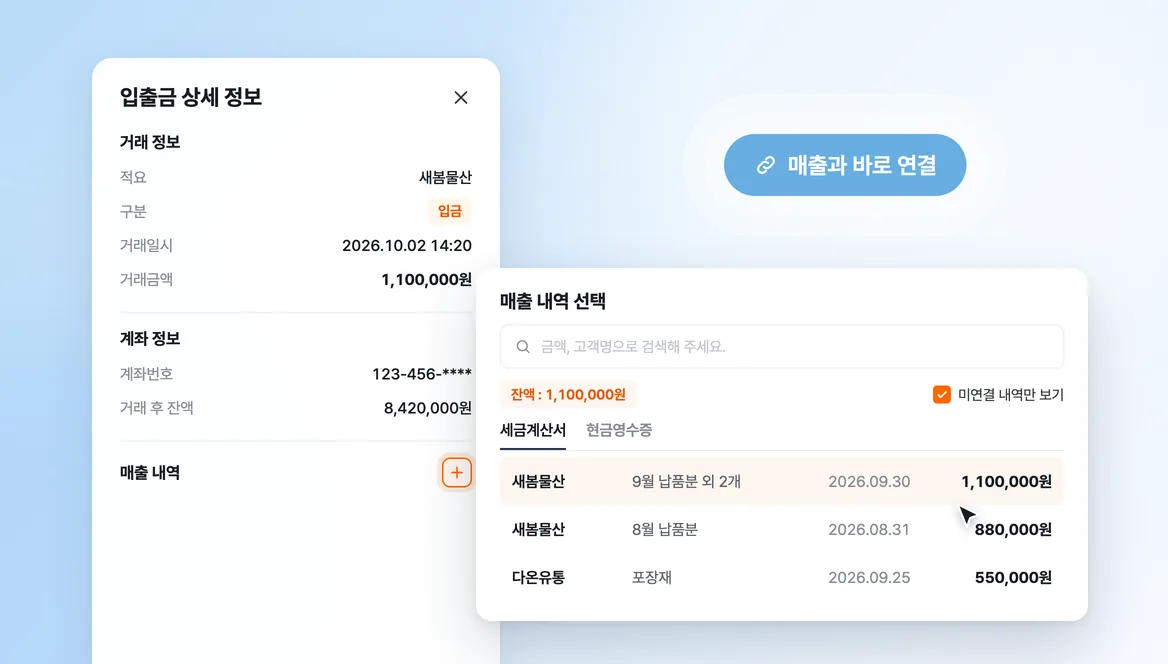
2. Link sales and purchases from bank transactions
You could see that a payment arrived, but finding which sale it belonged to took a separate search.
Open a transaction in the bank transaction list and link it to the matching sales or purchase record right there.
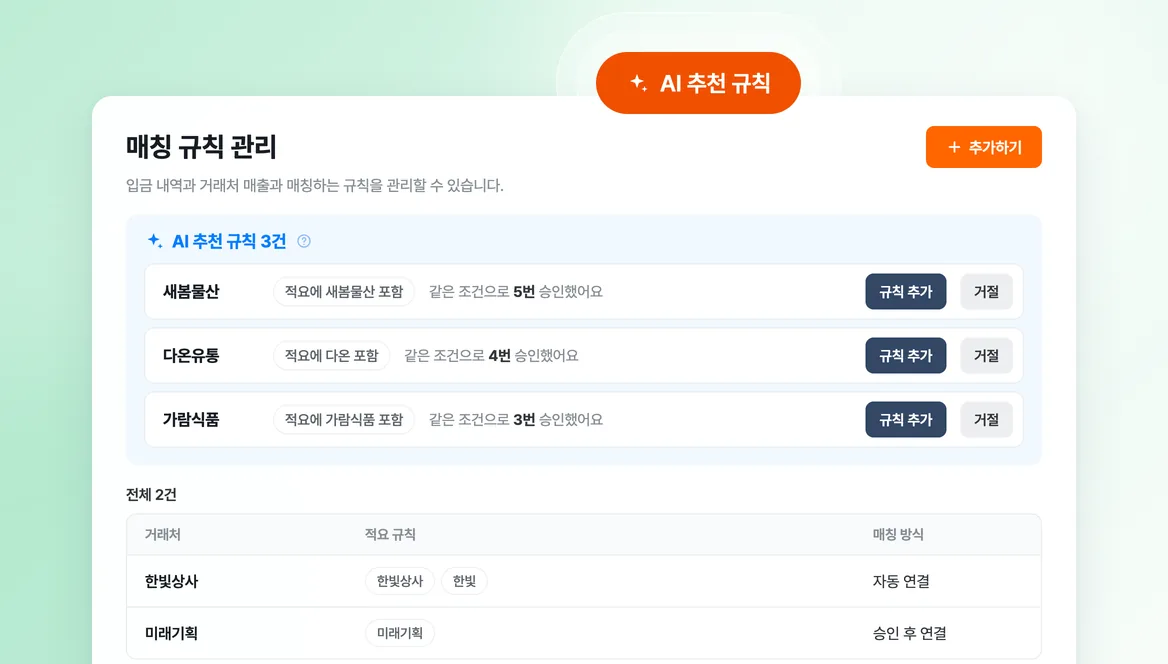
3. AI suggested rules
Linking the same payment to the same counterparty and approving it came around every month.
After you approve the same match several times, Bolta suggests it as a rule. Payments that fit a rule you added are linked automatically.
We also improved tax invoice PDF downloads and several mobile screens. Issuance emails that fail temporarily are now resent automatically.
On bolta.io, the business registration status check, tax invoice and cash receipt verification, business registration certificate extraction, and certificate management tools are free to use.
We will keep working until issuance and payment confirmation read as one flow.